
Tablatures
Effortlessly Create and Edit Guitar/Bass Tablatures on macOS
Whether you’re a guitarist writing original music, a teacher preparing lessons, or a student learning new riffs, Tablatures is the perfect tool to bring your ideas to life on macOS.

Seamless compatibility
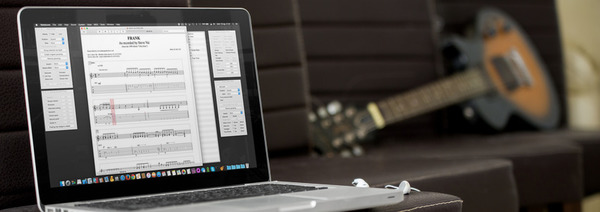
Tablatures is compatible with the popular PowerTab format — so even if your bandmates are on Windows, you can collaborate with ease and share your music with them! Moreover, you can easily find thousands of song transcriptions in this format on the net. Tablatures can also import most GuitarPro 3-5 tabs and GuitarPro 6-7 tabs in the .gpx and .gp formats.

Practice smarter with on-screen tracking
Watch your tab scroll in real time as the MIDI playback plays each note. It’s a simple but powerful way to improve your timing, accuracy, and muscle memory. If you’re just beginning to learn a song, slow it down. Speed it up gradually to reach perfection.

Explore and create new voicings
Browse an extensive library of chord shapes — far more than you’ll ever need 🙂 Want to get creative? You can even define your own custom voicings in seconds.
Beyond Guitars!
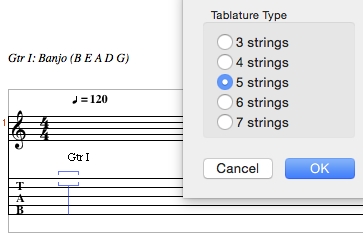
Tablatures isn’t just for guitarists. Whether you play banjo, ukulele, or another fretted instrument, you can easily create accurate, playable scores tailored to your instrument.
Read more
Try it
Still in doubt? Feel free to check out a demo version.