
TabView
View, print, play PowerTab and GuitarPro documents on macOS
Open any .ptb, .gp3, .gp4, .gp5, or .gpx tab on your Mac and start playing


PowerTab and GuitarPro are well-known and widely adopted file formats for tablatures. You can easily find thousands of song transcriptions in these formats on the net.

Improve your playing
Tabs can be exported in MIDI format and during playback you can follow the tab on screen to make it easier to learn tracks.

Practice makes it perfect
Play the riffs you want to master over and over again. Start with a slowed-down tempo and soon you’ll be playing at full speed without making mistakes.

Configure your view
Standard notation is important, but perhaps you don’t really care about it: switch to a Tablature Only view, removing some distractions.
Quick access to all the tracks
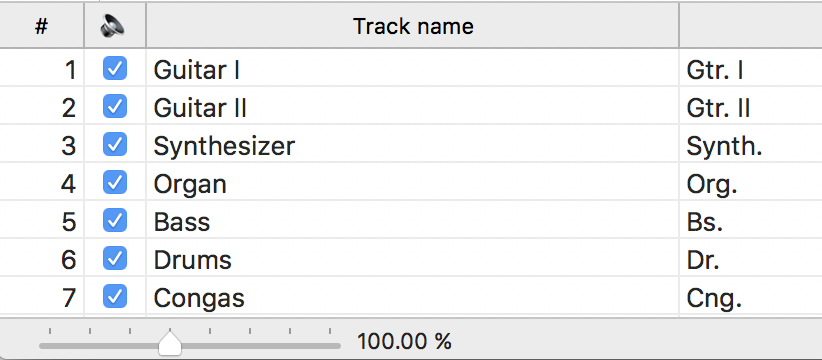
Double-click on a track in the table to switch to it, or tick it off to mute it during playback.

Need more?
If viewing tabs is not enough for your needs, if you wish to be able to edit or create them, you might wish to try Tablatures instead.