Tablatures 1.20

Here’s a new Tablatures update.

The list of changes since the previous version includes:

  • MIDI playback: the tempo slider can be used to speed the song up too (up to 2x faster than the tempo set in the document).
  • Standard notation: extra notation lines could be drawn with an huge length, thus causing excessive slowdown, when a system contained many positions. Fixed.
Why doesn’t playback emit any sound?

The typical requests can be summarised as “I hear the metronome clicking and then silence”.

The usual culprit is the lack of a Guitar In symbol at the start of the document. Tablatures uses Guitar In’s to determine which instrument (as defined using the Score -> Edit Guitars menu) should be used for playback.

When you create a new document, Tablatures already puts a Gtr I symbol at the beginning.
If you delete it or need to change instrument in the middle of a song, adding a guitar in symbol is very easy to do:

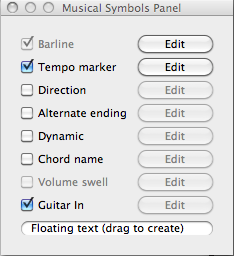
  1. Tick the Guitar In checkbox in the Musical Symbols Panel:
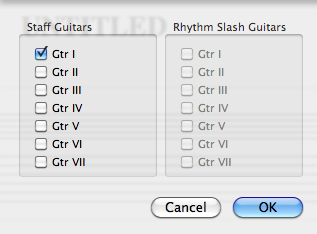
  2. Then choose the guitar(s) which should be start playing from the current caret position:

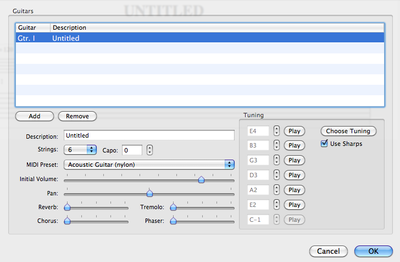
Finally, you might want to make sure that all the guitars you have used are actually defined among the instruments used by the score. So let’s use the Score -> Edit Guitars menu and edit them as needed:

Here you can choose the MIDI instrument to use, apply some effects and change its tuning.

Tablatures 1.19

A new release of Tablatures is ready for download.

The list of changes since the previous version includes:

  • Chord Dictionary: disable the “Add to Score” button when no document is open.
  • Disabled autosave on GuitarPro documents, to avoid problems. It’s a good practice to convert GP docs to PowerTab before starting to edit them, anyway.